Workflow Analysis · Workflow Bottlenecks
Workflow Analysis: Find Where Work Waits, Loops and Returns
Workflow analysis examines what happened to the work on the route it was expected to follow: where it waited, what came back, and which point set the pace. Start with one result that should have moved.
Executive SummaryHow to trace where one piece of work lost its time.+
Workflow analysis examines how work moved through a process, measured against the route it was supposed to take. Mapping shows the intended steps. Analysis uses the operating record, meaning timestamps, approval history and reopened items, to find where time accumulated and why.
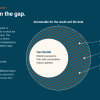
Most processes exist in more than one version: the procedure, the version managers describe, and the route the work takes when an approver is out or a specialist is carrying six projects. That gap is where the analysis starts. It shows where people adapted to conditions the procedure did not cover.
The method is narrow on purpose. Pick one result that should have moved. Reconstruct the route it took, including the informal parts. Separate active work from waiting, mark what came back, and find the point that set the pace for everything behind it, which may not be the longest step.
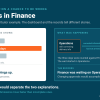
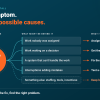
Then rule out the other explanations before blaming the route. The outcome may have lost its priority, the authority or capability may be missing, or an outside dependency may control the date. Workflow evidence shows that work waited. It does not by itself prove that routing caused the whole delay. Nor does it show whether the waiting and the interruptions around it affected anyone's judgment. That is the second way execution drag reaches a result, and the record alone cannot settle it.
Workflow software holds the record and should be used. It does not see the decision made in a hallway or the manager everyone routes exceptions through, and automating a route before analyzing it moves the work to the constraint faster. Change one condition, measure one operating number, and revise the explanation if nothing moves.
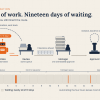
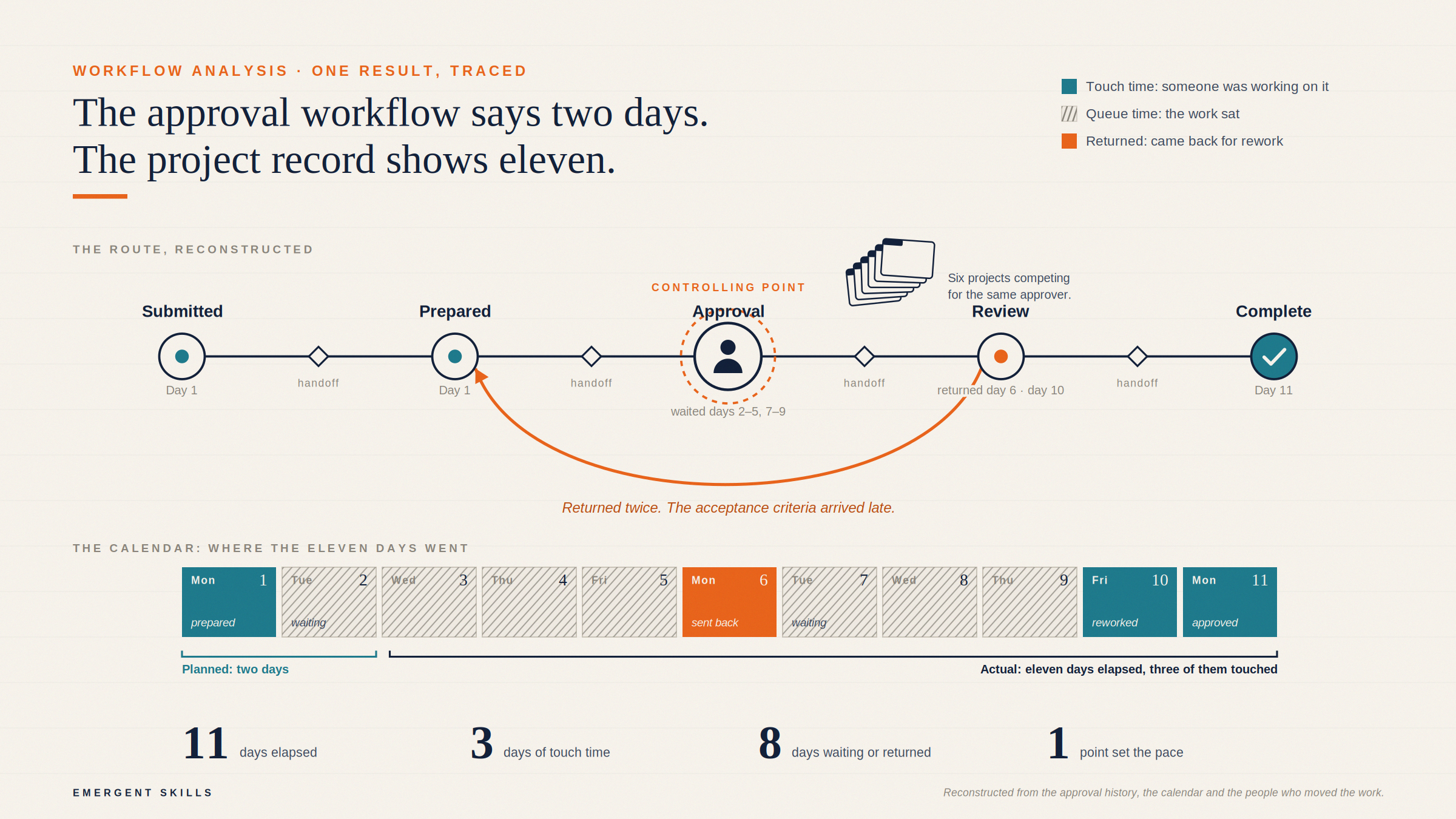
The nine unexplained days are not a data problem. The procedure lists the steps. It does not list when the approver was available, how many times the submission came back, or how long the team waited on missing criteria.
That is where workflow analysis begins.
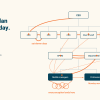
Workflow mapping shows the route work is expected to follow. Workflow analysis examines what happened on that route: where time accumulated, what repeatedly came back, which handoffs failed, and whether one person or stage controlled the pace.
A clean map can describe a slow workflow perfectly.

What is workflow analysis?
Workflow analysis is the examination of how work moves through a defined process so an organization can identify delays, unnecessary steps, rework, weak handoffs and constraints.
The route is only the starting point. The analysis lives in the operating evidence: timestamps, approval history, reopened work. Then the calendar, the work in progress, and who had to be in the room at each stage.
This is different from business process mapping. Process mapping makes the steps and ownership visible. Workflow analysis asks how well that route performs and what caused the gap between the expected result and the actual one.
Workflow guides draw the same line: mapping represents the process, and analysis evaluates it for inefficiencies and process improvement opportunities.
The documented workflow is not always the working workflow
Most organizations have more than one version of a process.
There is the approved version in the procedure. There is the version managers describe in a meeting. Then there is the route the work follows when a deadline moves, an approver is unavailable, or a specialist is supporting six projects at once.
Researchers call this the gap between work as imagined and work as done. Studies of real operating environments keep finding it: the procedure describes one route, and the work under real conditions takes another. That is not proof that people are ignoring the process. It shows where they adapted to missing information, shifting demand and constraints the procedure did not account for. Read the research on work as imagined and work as done.
Lean value-stream mapping starts from the same place. The Lean Enterprise Institute recommends beginning with a current-state map that captures the actual condition of the material and information flow, then using process data such as cycle time and lead time to understand it. See the Value Stream Mapping overview.
What to examine in a workflow analysis
Start with one outcome that should have moved: a decision, deliverable, customer request, milestone or approval.
Broad complaints about efficiency are difficult to test. A specific piece of work leaves a trace.
Follow that work from entry to completion, or to the point where it stopped. Look for:
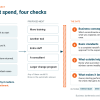
- Elapsed time against touch time: How long passed from entry to the current result, and how much of that was someone actively working on it? The rest is queue time, and the analysis should show where the work sat.
- Handoffs: How often did responsibility or context move between people?
- Rework: What was returned, reopened or revised after it appeared complete?
- Decision latency: How long did a consequential decision wait, and where?
- Work in progress: How much other work was competing for the same people or stage? Kanban practice treats this and lead time as core flow measures, and warns that unlimited work in progress overburdens a system and reduces throughput, predictability and quality. See the Kanban Method Glossary.
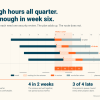
A project can have little rework and still spend most of its elapsed time waiting. Another moves quickly between stages and comes back for review three times because the acceptance criteria arrived late. Both get reported upward as slow.
When those waits and returns repeat across the route, the result is a workflow bottleneck, not simply a slow task.
How to conduct a workflow analysis
1. Define the result
Name the outcome, when it entered the workflow, what should have happened, and what happened instead. Do not begin with "the team is inefficient." That is a conclusion, not a starting point.
2. Reconstruct the route
This is the slow part. The approval history is in one tool, the calendar is in another, and the actual decision is in somebody's memory. Pull all of it, and ask the people who moved the work, not only the people who own the process. Include the informal routes. If the real decision happened in a meeting while the system still showed "in review," record both.
3. Mark the waits and returns
Separate active work from queue time. Then mark what came back: repeated review, missing inputs, reopened decisions. A handoff where the next person had to rebuild context counts as a return.
4. Find the controlling point
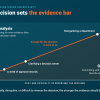
The longest step is not automatically the bottleneck. Look for the point that governs the pace of everything behind it: one approval meeting, one specialist, unclear decision authority, or a stage accepting work faster than it can release it.
If that is the problem, a focused bottleneck analysis can test the constraint more directly.
5. Check the explanation
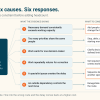
Before blaming the route, rule out the other explanations. The outcome may no longer be valid, or leadership may have stopped wanting it. The capability and authority to finish it may not exist. Or an outside dependency is setting the pace.
Workflow evidence can establish that work waited. It does not prove that routing caused every part of the delay.
6. Change one condition
Run a bounded test. Supply criteria before review, add a backup decision-maker, or limit new work entering a stage. Choose one operating measure and watch what changes.
If the result does not improve, revise the explanation.
What the workflow tool cannot see
Jira, Workfront, ServiceNow, Asana and similar platforms hold real evidence: status history, assignments, dependencies, blocked work and workload. Use it.
The record may still miss the informal review, the decision made in a meeting, or the manager who became the unofficial route for every exception. The record also cannot see fragmentation. Microsoft reported that employees in its telemetry sample were interrupted by a meeting, email or chat notification about every two minutes during core work hours. Call it thirty interruptions an hour. See the 2025 Work Trend Index.
That does not mean every interruption caused the delay. It means the visible workflow may be operating inside conditions the workflow record does not capture.
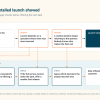
Execution drag reaches a result in two ways, and the record shows the first: the work path itself holds things up. The submission sat with an approver for eleven days against a two-day procedure. It came back for missing criteria. The approver was out. None of that requires anyone on the route to have worked badly.
The second way goes through the people moving the work. Thirty interruptions an hour, six projects on one specialist, and a review that comes back three times all add demand, and that demand can make judgment and focus harder to use consistently. The record shows where the work waited. It does not show what the waiting and the interruptions did to anyone's judgment. Investigate the second way with its own evidence. The finding from the record stands without it.
Do not automate a workflow before understanding it
The same limit applies when the tool is asked to fix the route instead of record it. Automation removes manual routing, reminders and data entry. It cannot decide whether an approval is necessary, whether the criteria are clear, or whether the same executive should review every exception. Automating a poor route delivers the work to the same overloaded approver sooner, with a reminder attached.
So analyze first. Remove the steps that add nothing, clarify who decides, and give the next person the evidence they need before the work reaches them. Automate whatever route is left.
Start with the priority people keep explaining.
Somewhere in the plan there is a priority that gets explained in status meetings more often than it moves. Start there. You do not need to analyze an entire department.
In a $1,500, 90-minute Stalled Priority Snapshot, we reconstruct the route of one important result that should have moved. We identify where it waited, looped, reopened or routed through an overloaded person, estimate the directly traceable drag, and design one 14-day change to test the explanation.
One workflow. One operating change. One result that can tell you whether the diagnosis holds.
Sources
- The Digital Project Manager. The Ultimate Guide to Workflow Analysis.
- The realities of procedure deviance: A qualitative examination of divergent work-as-done and work-as-imagined perspectives. International Journal of Industrial Ergonomics, 2024.
- Lean Enterprise Institute. Value Stream Mapping. Lean Lexicon.
- Kanban University. The Kanban Method Glossary.
- Microsoft. (2025). 2025: The Year the Frontier Firm Is Born. Work Trend Index Annual Report.