AI Workflow Automation
AI Workflow Automation Can Make a Bad Process Faster
AI workflow automation can make a broken process faster. Trace the handoffs, approvals, and waiting before you decide what to automate.
Executive Summary Fix the process before you automate it +
AI workflow automation can shorten tasks and remove manual work, but it inherits the process it is placed inside. Approvals that accumulated years ago, handoffs that drop context, and decisions that route through the wrong person all run faster and stay in place. A request that needs four hours of work and takes nineteen days to complete is mostly waiting. Automating the four hours leaves most of the nineteen days untouched.
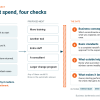
Before automating a workflow that matters, trace the route several recent examples actually took: where the work went, how much of the elapsed time was someone working on it, where information was missing, which decisions escalated, and who controlled the pace. Record elapsed time as well as time saved. Retire approvals that no longer make a decision, move routine authority closer to the work, and carry context across handoffs. Then automate the stable, repeatable steps that remain.
The Stalled Priority Snapshot is a $1,500, 90-minute session that traces one workflow, shows the hours you can defend, and sets one change to test in 14 days.
A bad approval process does not become a good approval process because an AI agent can move through it faster.
Neither does a broken handoff, an unnecessary review, or a decision that keeps routing through the wrong person.
AI workflow automation can remove manual work and shorten some tasks. Before automating a workflow that matters, there is a more basic question:
Should the work be moving this way in the first place?
That question matters more as companies move beyond individual AI tools and begin placing agents inside business processes.
What is AI workflow automation?
AI workflow automation uses artificial intelligence to perform, coordinate, or support work within a business process. Depending on the workflow, AI might classify a request, prepare a document, or route the work to its next step. In some workflows it recommends the action a person then takes.
The technology may be new. The workflow usually is not.
Existing processes carry history. An approval may remain because of a problem five years ago. A report may still be produced because somebody once asked for it. Three teams may review the same work because responsibilities accumulated without anyone reconsidering the route.
AI can make those steps faster. It cannot tell you whether they still belong.
AI can scale the workflow you already have
The problem becomes easier to see when work crosses functions. In a 2026 Harvard Business Review article, Doug J. Chung and his coauthors describe companies deploying AI separately inside marketing and sales even though the customer experiences one continuous relationship. Each function may improve its own work while the handoff between them remains fragmented.
The same pattern appears elsewhere. A project moves from operations to finance. A customer issue goes from support to engineering. A purchase request passes through a manager, procurement, and finance.
Every group can automate its part successfully while the end-to-end workflow stays slow.
Four hours of work inside nineteen days
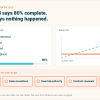
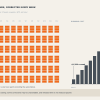
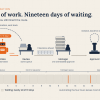
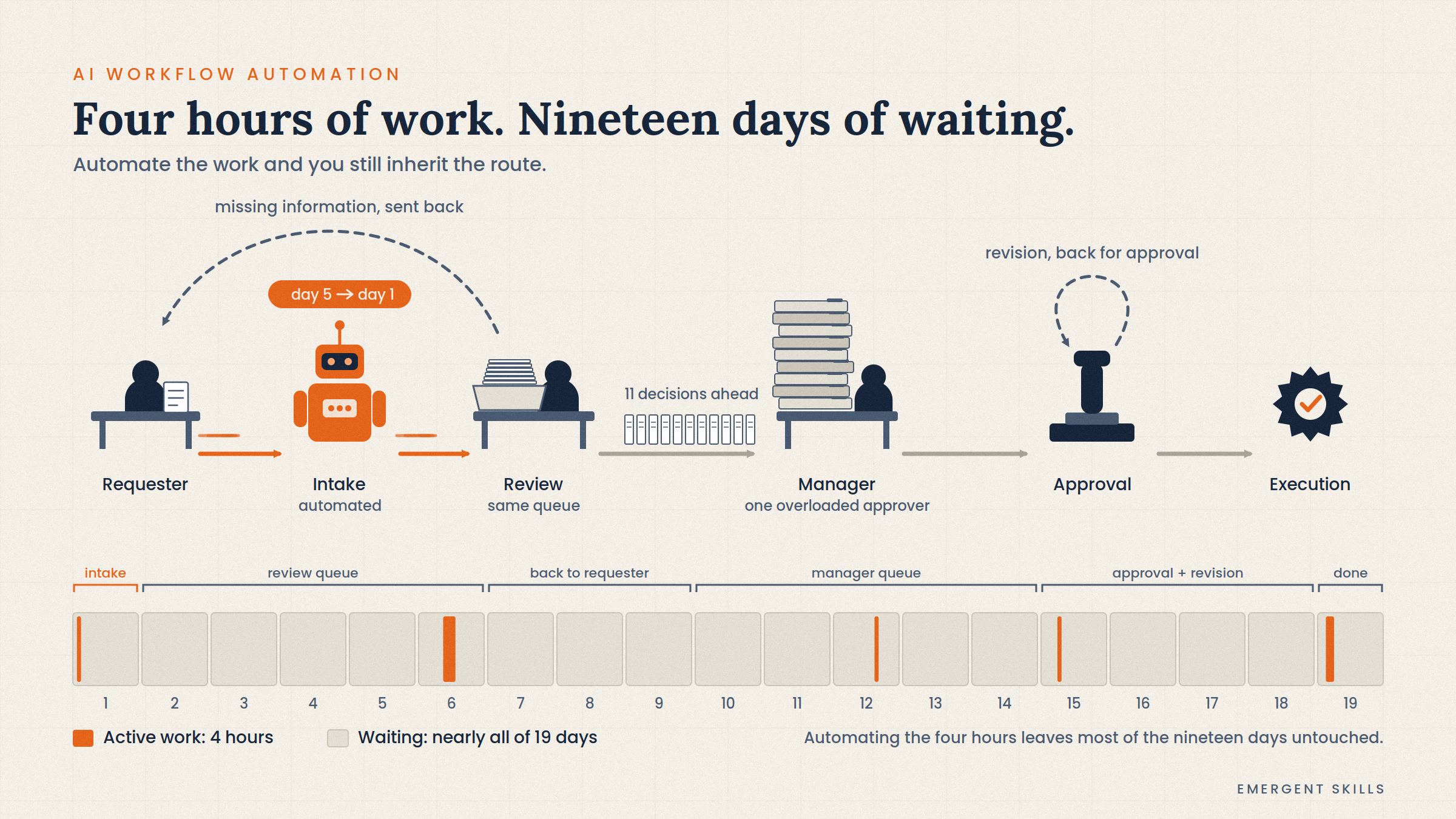
Consider a request that requires four hours of actual work but takes nineteen calendar days to complete. Most of the elapsed time is not work. It is sitting in a queue, going back for missing information, or waiting for a decision.
Now automate the intake. The request reaches the expert reviewer's queue on day one instead of day five. That is an improvement, but the request still joins the same queue behind the same eleven decisions.
Automate the four hours of work down to one hour and the labor saving is real. It will show up in the business case.
The customer or operating team may still wait most of those nineteen days.
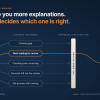
Flow efficiency compares active work time with total elapsed time. The ratio separates the time spent changing the work from the time the work spends waiting. You do not need an industry benchmark. Trace several recent examples and calculate your own starting point.
Trace the real route before automating it
Do not begin with the procedure manual. Take several recent examples and reconstruct what happened:
- Where did the work begin, and where did it go next?
- How much of the elapsed time was somebody working on it?
- Where was information missing or sent back for correction?
- Which decisions required escalation?
- Who or what repeatedly controlled the pace?
The procedure may say:
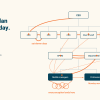
Request → Review → Approval → Execution
The actual route may be:
Request → Review → Missing information → Requester → Review → Manager → Queue → Approval → Revision → Approval → Execution
Automating the first route does not fix the second one.
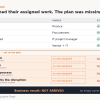
Watch what gets lost at the handoffs
A handoff is more than moving a task from one person or system to another. Information and context have to move with it. So do authority and responsibility.
When they do not, the receiving person has to reconstruct the work. That reconstruction shows up as clarification meetings, duplicate checks, and rework. All of it is delay.
Once the organization knows where context gets lost and what the next person needs, AI can carry it forward.
Do not automate an approval just because it exists
Some approvals manage real financial, regulatory, or safety risk. They belong in the process. Others accumulated and were never reconsidered.
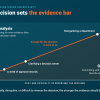
Before automating an approval, ask:
- What decision is this approval supposed to make, and on what evidence?
- How often does the approver reject or materially change the request?
- Could the criteria be applied earlier?
- Does every request require the same review?
- Could authority move closer to the work?
AI may help an approver decide faster. If hundreds of routine decisions still route through one overloaded manager, the organization has automated around the bottleneck.
Measure elapsed time, not only time saved
AI business cases usually emphasize labor time saved. That number matters, but it is not the same as a faster result.
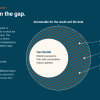
For a workflow that matters, record both active work time and elapsed time. The gap between them is the visible form of execution drag, and a business case built on hours saved does not measure it. Account for the gap, starting with queues, approvals, and handoffs. Then add rework, missing information, and any decision that waited on someone who was not available.
Sometimes the larger opportunity is automation. Sometimes it is smaller and cheaper: a clearer intake rule, one fewer approval, or a handoff that carries the context the first time.
Automate after you know what controls the pace
None of this argues against AI. It raises the bar on what the investment has to return.
AI gives organizations a reason to reconsider processes that accumulated over years. Preserving every step and swapping human activity for automated activity wastes that opening. If this workflow were designed today, with people and AI both available, how should the work move?
Stable, repeatable steps are good candidates for automation. High-risk judgments may still need a person. The rest of the redesign is often ordinary: carry better context across handoffs, move routine decisions closer to the work, and retire steps that no longer earn their place.
First find what controls the pace. Then decide where AI changes it.
Start with the workflow you are about to automate
The Stalled Priority Snapshot examines one workflow in 90 minutes. Bring the process you are considering for automation and up to three people who move, approve, or unblock it. You leave with the route the work takes today, the hours you can defend, and one change to test over the next 14 days.
That is worth knowing before you spend money automating the wait.
Before you spend money automating the wait
The Stalled Priority Snapshot traces the route one workflow takes today, names the step that controls the pace, and sets one change to test in 14 days.
Related reading from Emergent Skills
References
- Chung, D. J., Fann, J.-C., Plotkin, C. L., Stanley, J., & Valdivieso, M. (2026, September 4). AI Is Blurring the Line Between Sales and Marketing. Harvard Business Review.
- IBM. (2026, March 26). What Is AI Workflow Automation?
- Vacanti, D. S. (2025). Actionable Agile Metrics for Predictability: Tenth Anniversary Edition.