Individual Layer · Professional Skills Curriculum + App = Performance infrastructure for the hidden capacity layer of knowledge work.
Build the skills.
Reset access. Deploy Green capacity.
Ten Professional Skills Pillars. Reset → Build → Thrive. State-sized tools and five Green deployment paths, used inside a connected ES intervention that also changes the work path and measures whether execution improves.
The curriculum develops capability over time. The App supports the moment. Neither substitutes for fixing structural drag in the work.
Built for the floor, scaled to the ceiling. Private to the professional.
The Individual-Side Hypothesis
Skill can stay intact while usable access narrows.
The ES hypothesis is that accumulated demand can reduce a capable professional's moment-to-moment access to judgment, focus, communication, creativity, and other existing skills. The person has not become less capable. The amount of that capability available to the next task may have changed.
The design failure is the Green Zone Trap: building every instruction for full attention, working memory, and follow-through. A person may need a tool precisely when a multi-step tool is hardest to start.
State-sized design lowers the entry cost. It does not claim that every miss is capacity-driven. Queues, approvals, handoffs, too much work in progress, unclear decision rights, and rework can slow execution directly. The curriculum addresses the individual access side; the wider ES system also changes the work path and measures the result.
Build for the constrained case.
A curb cut removes a barrier for wheelchair users and also helps people moving strollers, carts, or luggage. The product principle is similar: design the smallest genuinely usable entry point first, then scale upward.
In ES language: build for the floor, scale to the ceiling. That does not mean assuming everyone is depleted or treating every performance problem as a capacity problem. It means the tool should remain usable when attention, working memory, or effort are limited, while still offering a fuller version when more capacity is available.
One pillar. Twelve weeks. Three phases.
Each of the ten pillars currently follows a 12-week Reset → Build → Thrive structure, designed for roughly ten minutes of daily practice. Printable materials can be read, marked up, and used offline. A participant works through one pillar at a time.
Weeks 1-4
Reset — Body-first
Body-first tools across grounding, breath, movement, and anchoring help the participant test which deliberate inputs can restore usable access under real conditions. The Week 4 check is an evidence checkpoint for the participant: what changed, what did not, and which tools are usable at the state in which they are needed. When a tool is not producing a usable shift, the practice changes; completion alone is not treated as proof.
Weeks 5-8
Build — Cognitive
Cognitive tools layer recognition, reframing, evidence collection, pattern interruption, and repeatable professional practice onto the body-first base. The aim is faster self-recognition and a more usable next choice, not awareness in the abstract. Progress is checked in use rather than assumed from completion.
Weeks 9-12
Thrive — Strategic
The participant plans around real capacity, protects higher-access windows, and routes valuable work toward them. The Week 12 review compares the end-of-pillar pattern with the starting point and connects any change to actual work. The result is recorded whichever way it lands; no shift is assumed in advance.
Four state-sized versions of every tool.
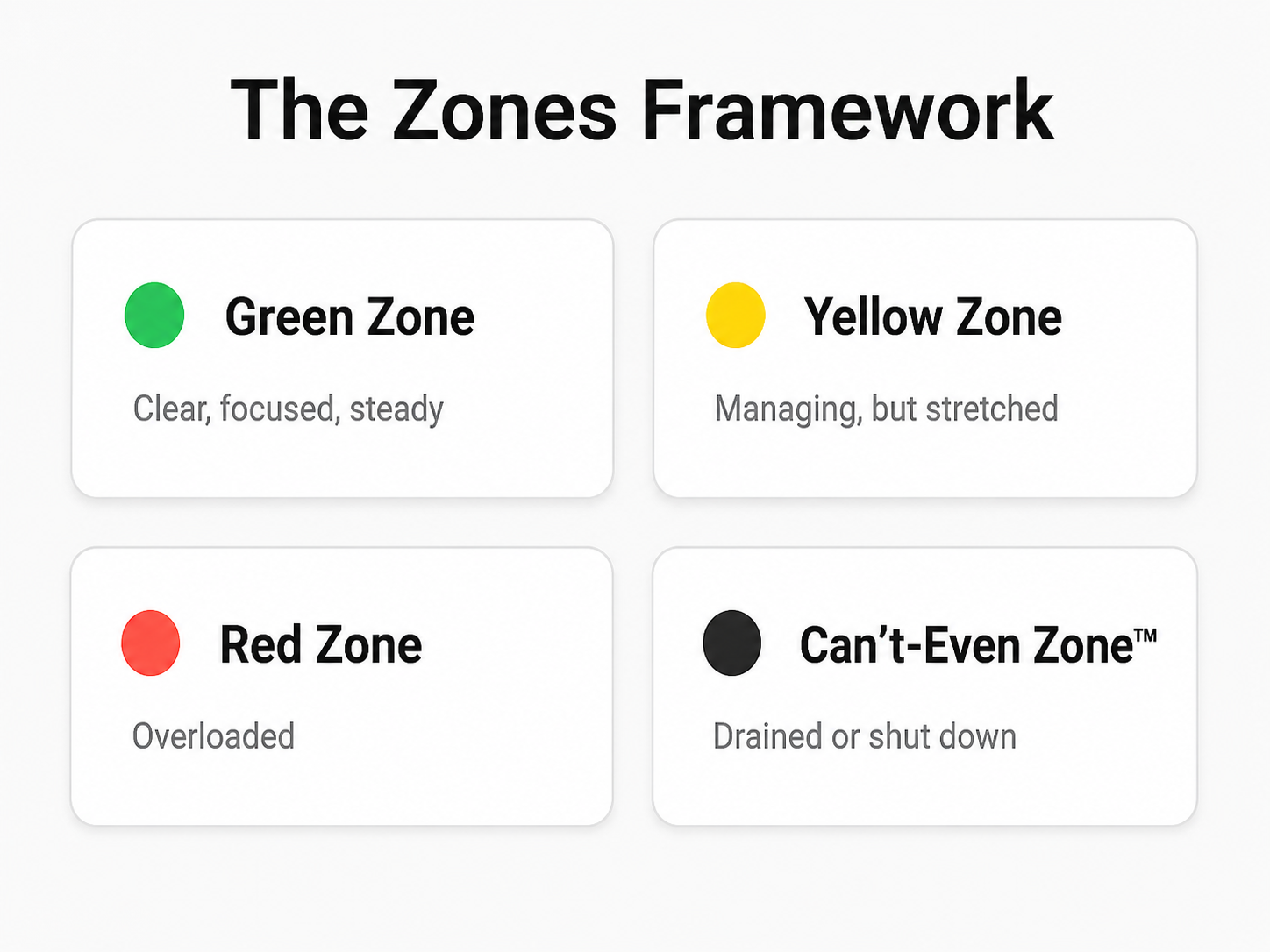
A tool that is usable in Green may demand too much attention or follow-through in Red. Every tool therefore has four entry points sized to the state already present, not the state the training wishes were present.
The table shows one illustrative body-first tool. The same state-sizing rule applies across the curriculum.
| Zone | Version | Duration | Illustrative action |
|---|---|---|---|
| 🟢 Green | Full | 3-5 min | Six-step grounding sequence using breath, pressure, and awareness |
| 🟡 Yellow | Smaller | 1-2 min | Three steps: press, squeeze, breathe |
| 🔴 Red | Tiny | 30 sec | Press feet. Feel floor. One breath. |
| ⚫ Can't-Even | Five-second floor | 5 sec | Press heels. Feel ground. |
Same intended function. Four entry points. The lower-capacity versions are not tests of effort or compliance. They reduce the demands of starting so the participant has a usable first move. Whether a particular tool helps still has to be established in use.
Design guardrail: the floor version has to be genuinely usable at the floor, not merely a shorter Green tool.
Ten Professional Skills Pillars.
Each pillar uses the same Reset → Build → Thrive arc and the same state-sized design. Different professional capability, consistent product architecture.
- Composure & Performance Under Pressure
- Stress Load & Sustained Output
- Execution & Delivery
- Focus & Attention Control
- Communication & Connection
- Emotional Regulation & Recovery
- Resilience & Change
- Confidence & Standing
- Motivation & Drive
- Rest & Recovery
Entry is selected from the actual work demand and the professional capability most relevant to it. A professional preparing for high-stakes meetings may begin with Composure & Performance Under Pressure. A team under sustained demand may use Stress Load & Sustained Output. A group losing usable attention to interruptions may use Focus & Attention Control. After one pillar, the next step is chosen from observed need and the deployment scope, not from a fixed ladder.
The Live Operating Layer
The curriculum develops capability. The App supports the moment.
The App has two live jobs: reset access or route around a degraded state, and deploy access while Green is available. It does not route a person into a Zone. It helps the professional identify the state already present, choose a matched intervention, and route the next work to what that state can safely support.
🟡 Yellow · 🔴 Red · ⚫ Can't-Even
Reset access, or route around the state.
A state-matched intervention is designed to help interrupt carryover from a meeting, decision, conflict, or stretch of context switching. The next move may be to recover, reduce the demand, simplify the task, pair on the work, defer it, or move it.
The goal is not to force Green. When usable capacity does not return, consequential work waits, pairs, simplifies, or moves. Sometimes the right instruction is: do not make this decision now.
🟢 Green
Deploy access while it is available.
Green is not reset mode. It is the ES working state in which more judgment, range, creativity, communication, and pattern recognition may be available. The operating question is: Where should we use it?
Protect the window. Use Green on work that benefits from the best available thinking, not low-value coordination that can be handled later or elsewhere.
Reset protects value. Deploy Green creates it. ES does not merely aim to reduce capacity loss. It aims to improve the allocation of the capacity the organization already pays for, then tests the effect in operating results.
Private by design. Managers do not receive individual App activity, individual Zone history, live individual-state information, or drill-down data. They act only on capacity the employee chooses to declare, observable load, and task consequence.
Deploy Capacity
Five Green paths. One question: where should this capacity go?
When a professional identifies usable capacity, the App helps route that window toward work that benefits from it. Green is not the absence of a problem. It is a scarce opportunity for higher-value judgment and execution.
Think Better
Decisions, priorities, plans, and tradeoffs. Use available range before pressure narrows what the professional can see and rework risk rises.
Communicate Better
Messages, feedback, and hard conversations. Use Green for clarity, nuance, and the sentence that may prevent avoidable cleanup.
Fix the Pattern
Meetings, handoffs, rework, and bottlenecks. Use available capacity to surface the system around the problem instead of defaulting to blame.
Create Better
Ideas, positioning, product thinking, and strategic connections. Protect enough range for original work to become usable output.
Prepare Better
Preparation before predictable pressure. Move the decision, message, or plan upstream instead of leaving it for a lower-access moment.
Inside the Connected ES System
Start with the execution drag, not an App rollout.
The curriculum and App are one layer of Performance Infrastructure for Demanding Knowledge Work. ES first traces where work waits, loops, piles up, or repeatedly routes through overloaded people. When the capacity layer is relevant, the Pilot introduces the appropriate curriculum and App support alongside changes to the work path.
Evidence boundary. Flow evidence can establish structural drag. The Four Tests govern the additional claim that work demand is materially reducing access to existing skill, and the Pilot tests reversibility. A failed test withholds the capacity-mediated claim; it does not erase structural evidence already found in the path.
Inside the Pilot
The Pilot establishes baseline operating metrics, changes one or two supported work-path conditions, trains managers in demand and consequence routing, and introduces the relevant curriculum and App. Examples of primary proof measures include approval wait, decision cycle time, reversals, rework, queue age, milestone completion, manager after-hours work, and strategic work completed. App engagement and sentiment are supporting measures.
After proof, inside the License
A successful Pilot can earn a recurring License. Depending on scope, the License can include App access, the ten-pillar curriculum, manager cohorts, privacy-protected aggregate operating-demand patterns, operating-outcome reporting, quarterly reviews, and ongoing support. It does not create manager access to individual App activity or private Zone history.
Printable PDFs, workbook pages, and the curriculum compass support use away from the screen. The App is the live operating layer. The materials develop capability over time; the App helps the professional use or route that capability in the moment. Any outcome is measured rather than assumed.
Bring one priority that should have moved.
The 90-minute Stalled Priority Snapshot reconstructs the actual path, identifies the strongest observable work-path pattern, estimates the visible drag floor from directly traceable extra labor, and designs one 14-day routing experiment. If the pattern extends beyond one priority and the individual layer is relevant, the next step is scoped from evidence.
The Snapshot supports a credible local routing hypothesis. The Diagnostic examines whether the pattern is shared. The Pilot tests reversibility.
Capacity Intelligence™ · The Zones Framework™
Performance Infrastructure for Demanding Knowledge Work. Not therapy. Not wellness. Not employee monitoring.